Modulo is coming to the Mac
Next stop: the Mac. A native Mac app with the same engine and library as on the iPhone, in one window you can make as big or as small as you like. It is coming to the Mac App Store as version 1.2.0.
Modulo started on the iPhone, and since last week it is on Android too. The next stop is the Mac. Modulo for Mac is coming to the Mac App Store as version 1.2.0. It is not out yet, but it is far enough along that I wanted to show you.
A real Mac app
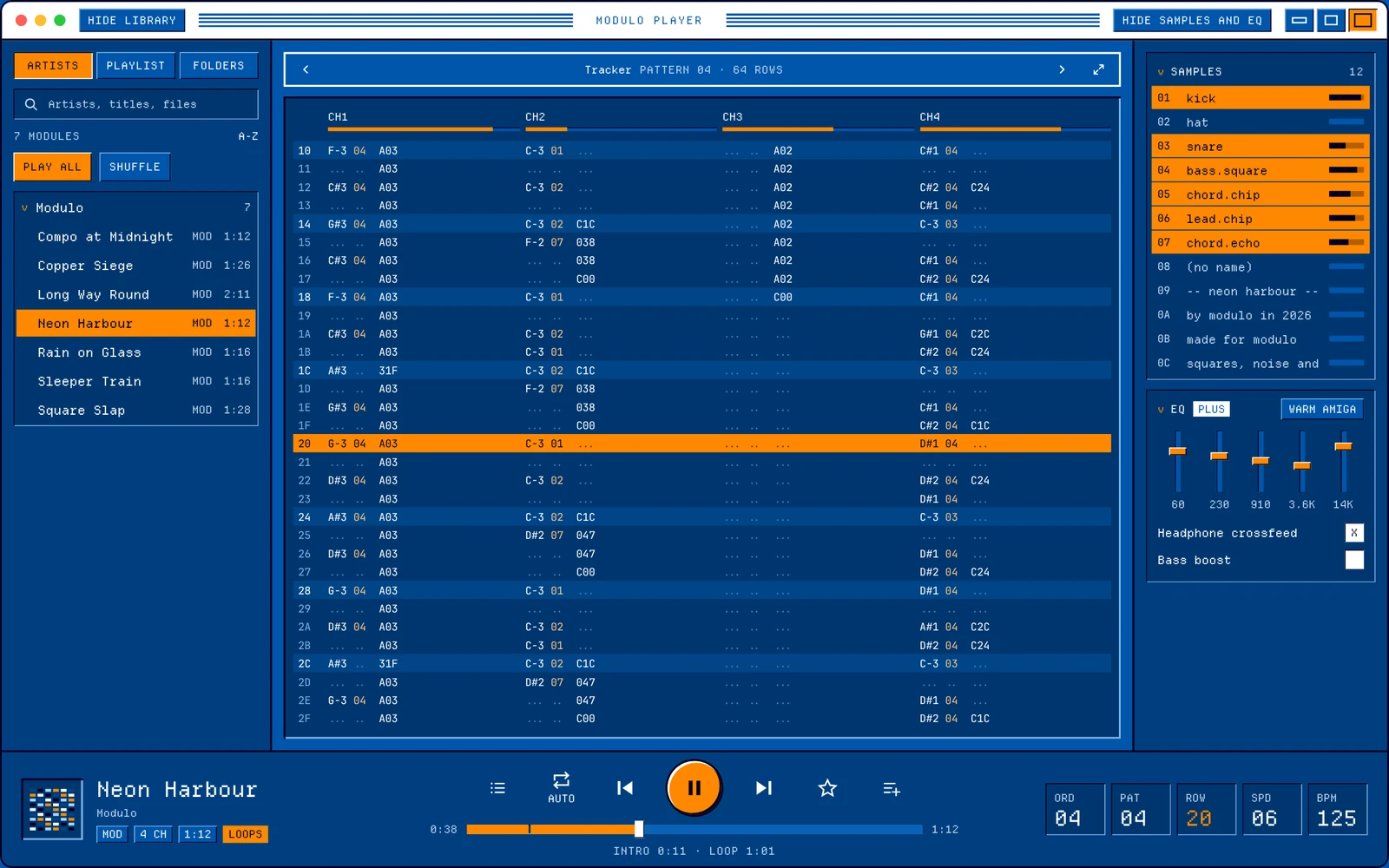
The quick way would have been to put the iPhone app in a window. I didn’t want that. Modulo for Mac is a native Mac app for Apple silicon and macOS 26+, made for a window, a keyboard and a pointer. Underneath it is the same Modulo: the same engine that plays your modules, and the same library.
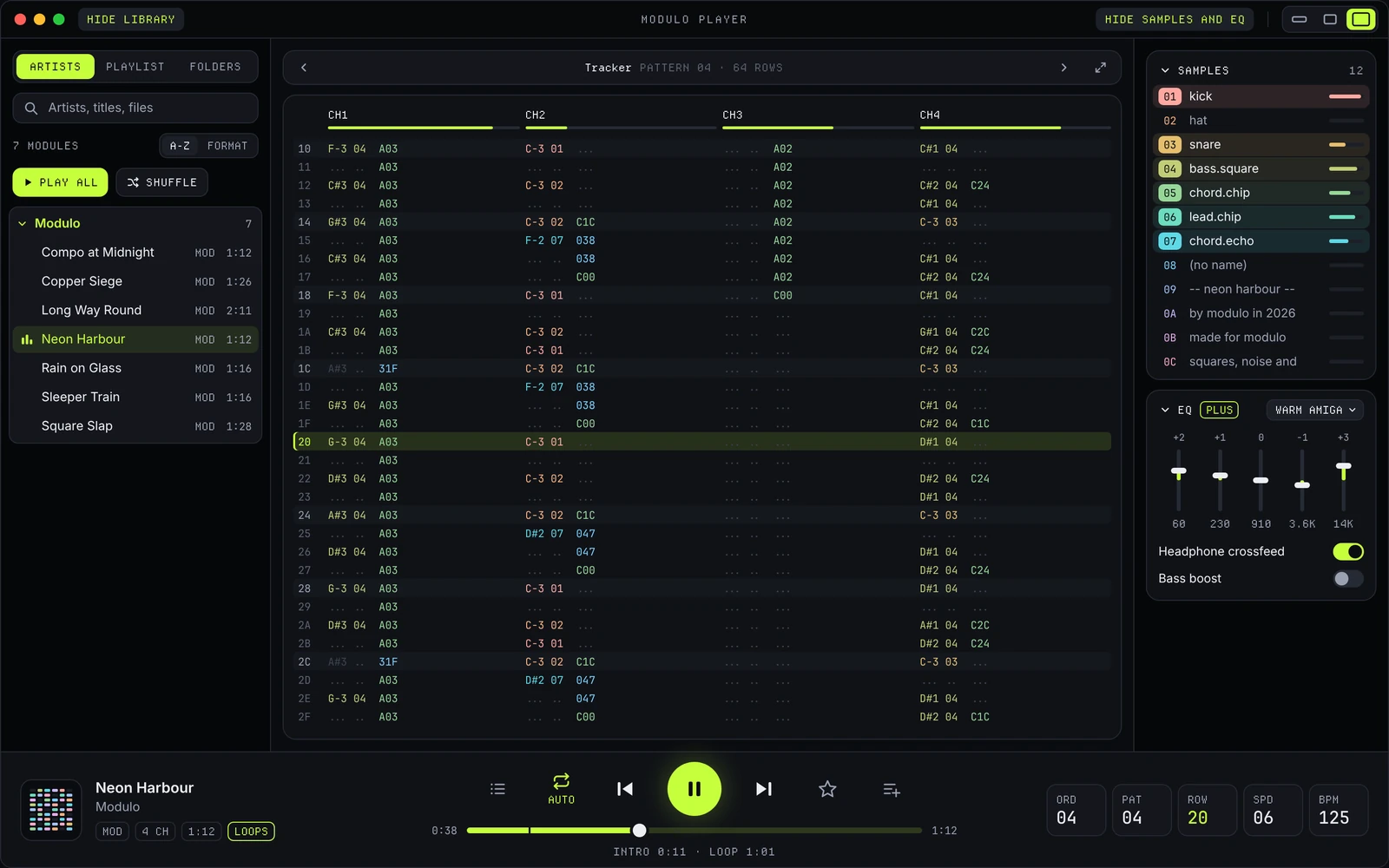
The whole window is drawn in your theme, title bar included. So it looks like Modulo, not like a standard Mac window with Modulo inside it.
One window, three sizes
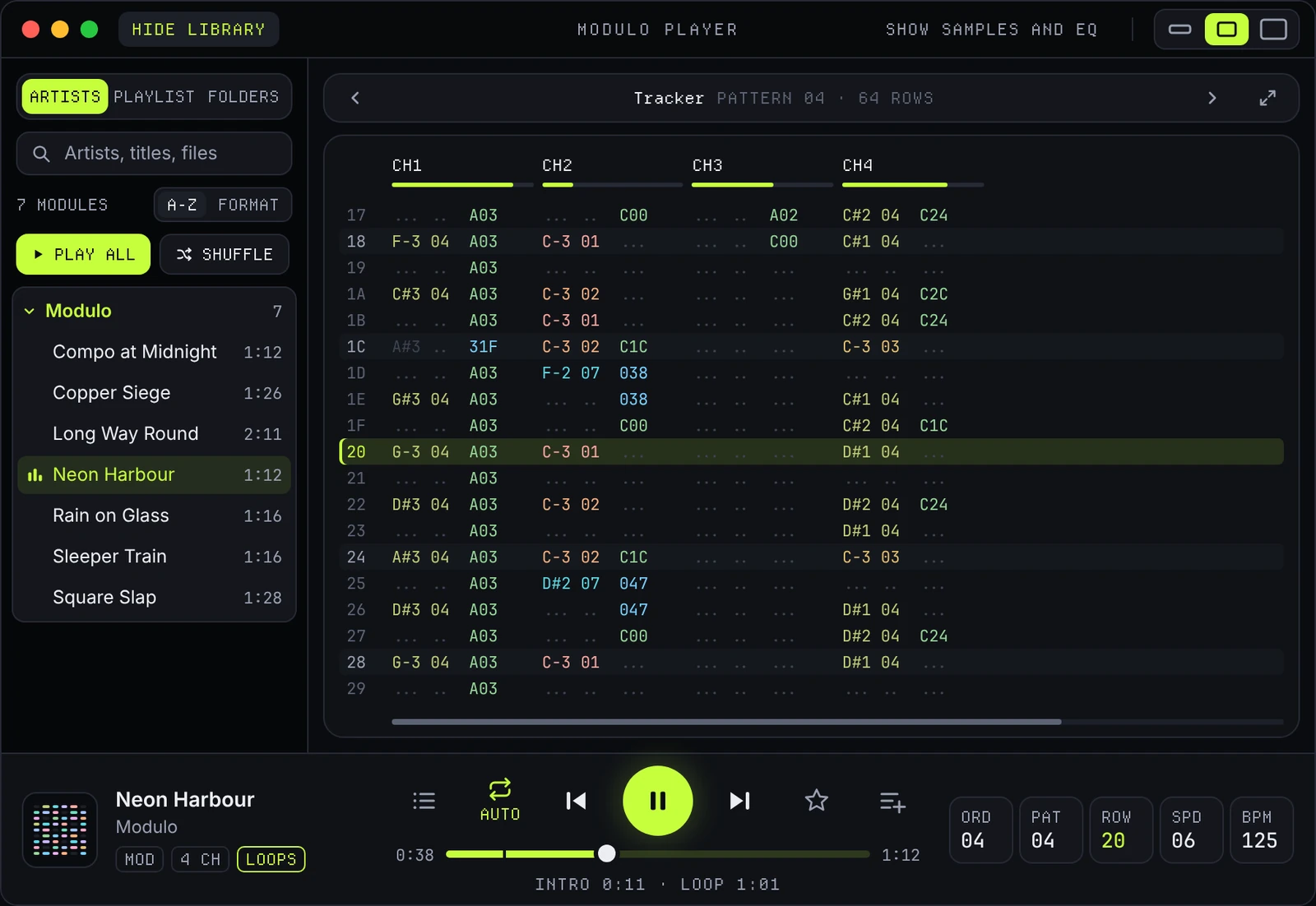
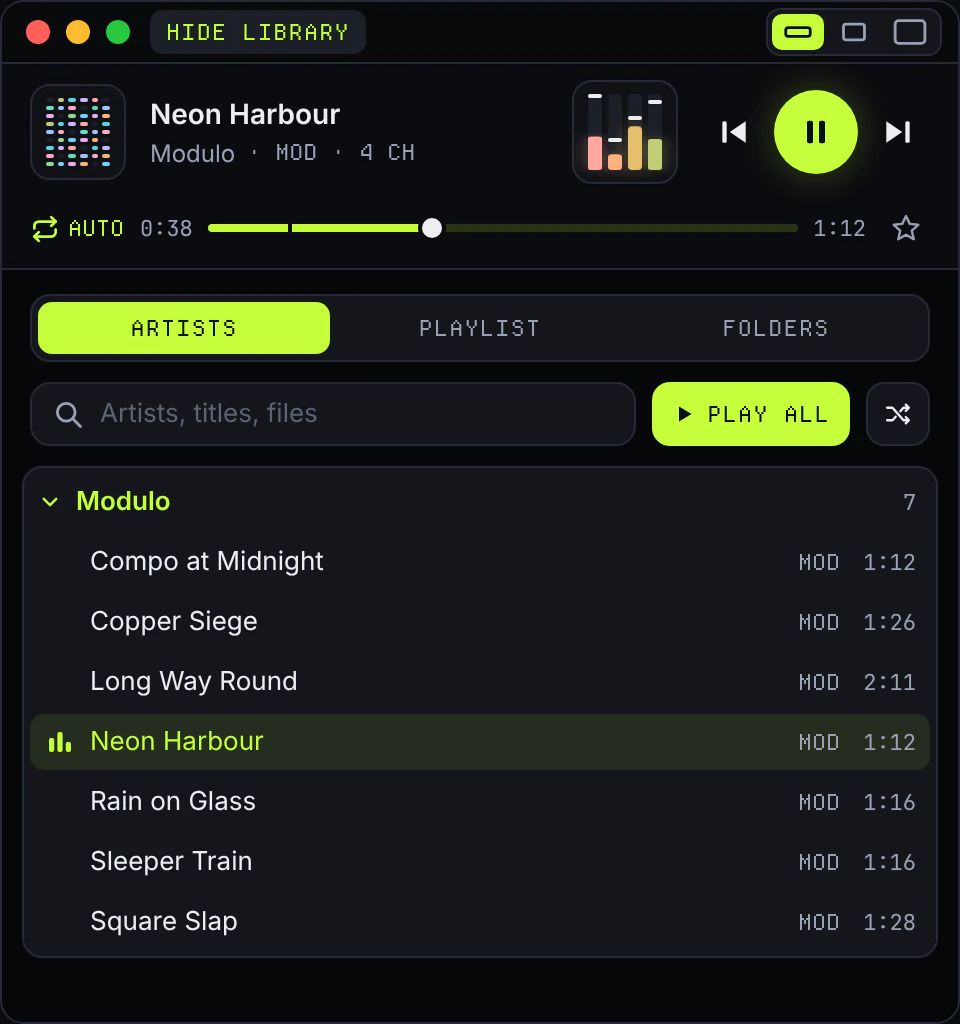
You resize the window by its edges, and Modulo picks the layout that fits:
- Large: the library in a column on the left, the tracker or a visualizer in the middle, the Samples and EQ panel on the right.
- Medium: one side at a time, next to the pattern.
- Mini: a strip with the player and channel meters. Make it taller and the tracker or a visualization appears above the player, and the library folds out at the bottom.
⌘1, ⌘2 and ⌘3 jump straight between the sizes.
The pattern, as wide as your window
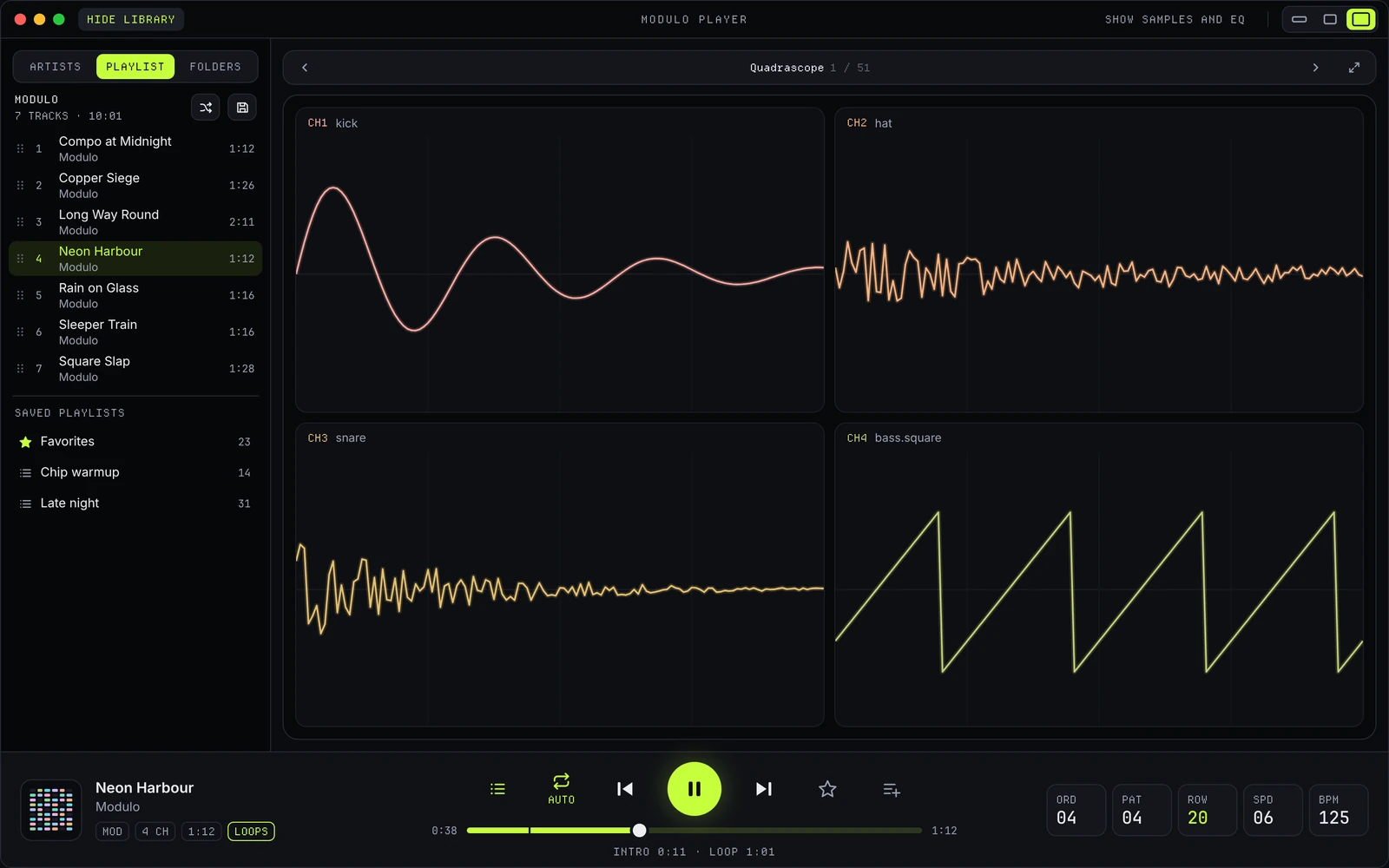
The pattern shows as many channels as fit in the window. One bar on top picks what the stage shows: the tracker first, then all 51 visualizations, four of which are free. The full-screen button takes the whole screen and shows only the stage: the pattern or the visualization, nothing else.
Your library
The library has three tabs. Artists lists your modules by artist. Playlist is your current playlist: drag tracks to reorder them, save it, or open a saved one. Folders is where you link folders on your Mac, import zips and make a backup, which goes through the normal save panel. And the track that is playing goes into a playlist straight from the player.
Modulo plays your folders where they are. No account, no tracking, nothing is sent anywhere.
And the Mac things
Every function is also in the menu bar, with keyboard shortcuts. Settings has its own window: Sound, Theme, Library, Plus, the tip jar, Help and About.
All twenty themes come along. Modulo and Modulo Light are free; the other eighteen come with Modulo Plus, a one-time purchase, no subscription. Bought Plus on your iPhone already? Then you have it on your Mac too: one purchase covers both. On the Mac, Plus also brings a menu bar player: the current track and its controls, right in the macOS menu bar.
When?
Now. Since 7 November 2026, Modulo 1.2.0 is in the Mac App Store, together with the same version on the iPhone and Android: what else is new is in Modulo 1.2. Questions or wishes for the Mac version are welcome through the support page.